
Antsomi CDP 365 Manual for Beginners | Defining & Segmenting Valuable Customers and Leads
Published: Nov 26, 2025|6 min read|

Introduction
Welcome to Antsomi CDP 365! By now, you're likely familiar with the basic operations from previous manuals. This guide delves into a core marketing activity: defining and creating valuable customer segments. The concept of a "valuable customer" is dynamic. For an e-commerce business, it might be the "high-spending customer," while for a B2B enterprise, it could be a "hot lead poised for conversion." Similarly, in real estate or service industries, "users showing high intent after requesting information" are crucial targets. Antsomi CDP 365 empowers you to unify diverse customer data, from e-commerce purchases to web behaviors, to identify these critical individuals.
To effectively pinpoint your most valuable customers, consider these strategic definitions tailored to your business model, all centered around the depth and recency of customer engagement:
Pattern A: E-commerce / Retail (Purchase-driven)
Pattern B: B2B, Real Estate, Finance, High-Value Products (Lead Generation-driven)
This manual will first guide you on collecting the necessary data, and then walk you through creating a specific segment to extract highly engaged users within Antsomi CDP 365.
Essential Web Events and Data Collection (Preparation Phase)
To create segments in Antsomi CDP 365, you need "event data" as foundational information for segment creation. While the specific data collected may vary by client, it is ideal to track the following events to effectively define valuable customers.
E-commerce Sites: Essential Events
Key attributes: revenue (amount), items (products) This event is the fundamental metric for gauging "sales contribution."
B2B/Non-E-commerce Sites: Essential Events
For B2B/non-e-commerce sites, the focus shifts to collecting "key indicators (micro-conversions)" that serve as proxies for sales.
📝 form_submit / lead_generation (form submission)
📄 view_pricing (pricing page view) / download_file (document download)
Antsomi CDP 365 associates these events with individual customer profiles (personas). This means that even users who "haven't yet made a purchase or signed a contract but have viewed the pricing page three times in a week," for example, can be readily identified, provided these events are properly configured.
Tutorial: Creating a "Loyal Customer" Segment
Following the strategic definitions and data preparation, this tutorial demonstrates a practical application: creating a "loyal customer" segment in Antsomi CDP 365. For this example, we will define "loyal customers" as those who have purchased two or more times within the last three months. This specific segment is crucial for businesses aiming to foster repeat purchases and maximize Customer Lifetime Value (LTV), aligning with the "E-commerce / Retail (Purchase-driven)" pattern discussed earlier.
Through this step-by-step guide, you will leverage the "Profiles" module of Antsomi CDP 365 to identify these premium customers who actively drive business growth. Let's begin!
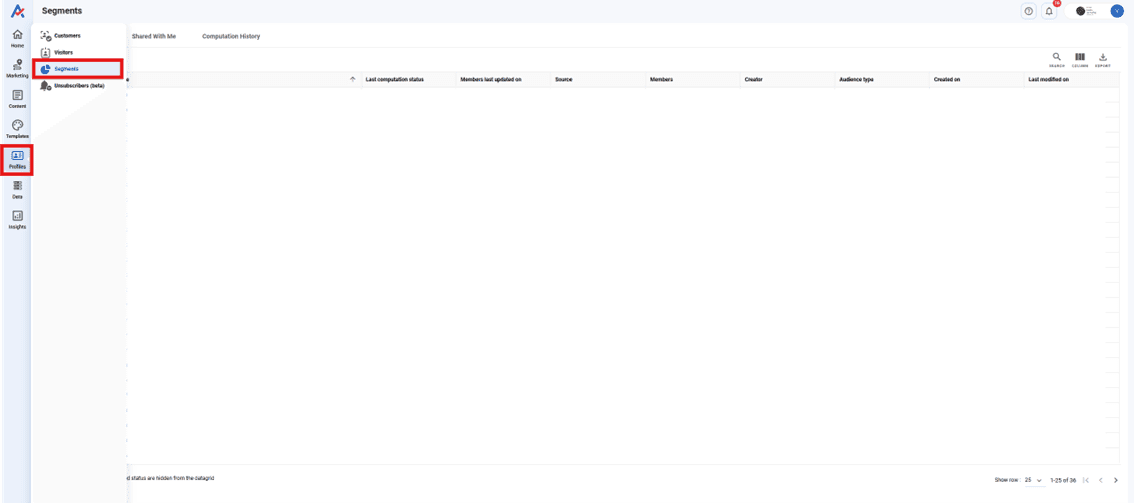
Step 1: Navigate to the "Profiles" Module and select "Segments."
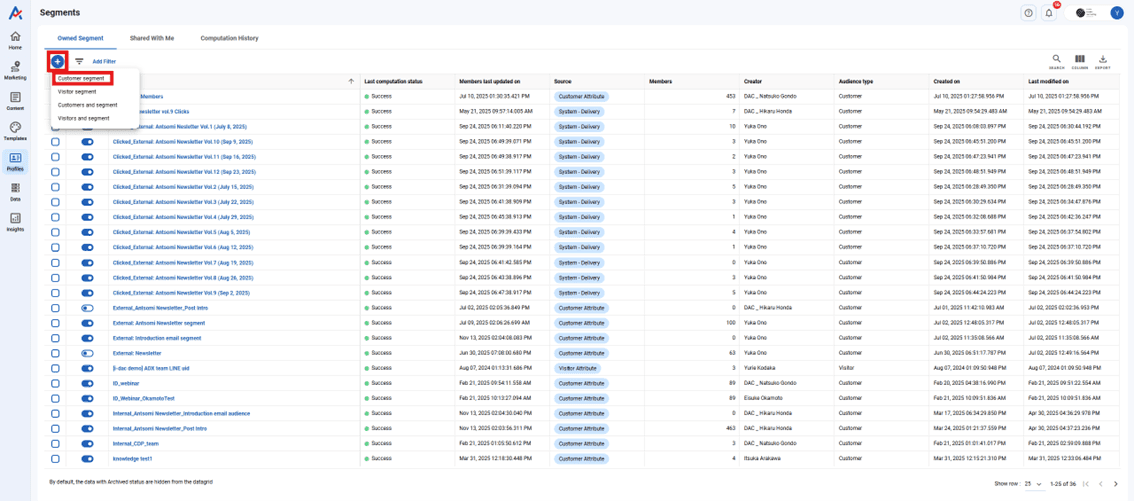
Step 2: Create a New "Customer Segment"
Step 3: Configure Basic Segment Information
Step 4: Add Segment Conditions
Here, we will set the condition "purchased two or more times in the last 3 months."
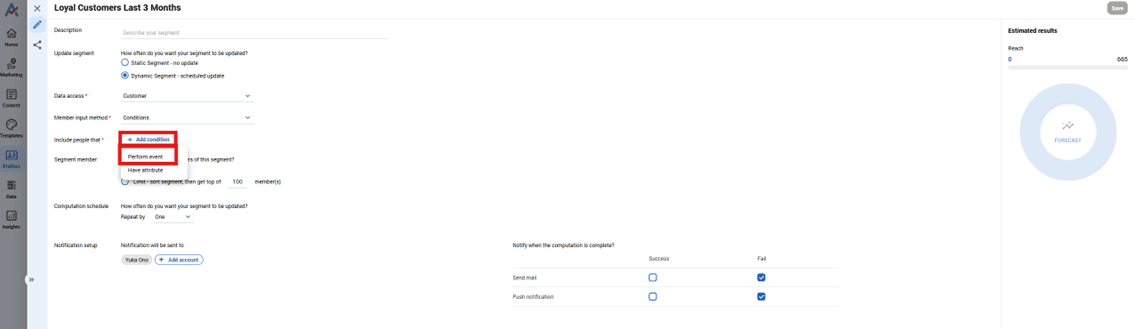
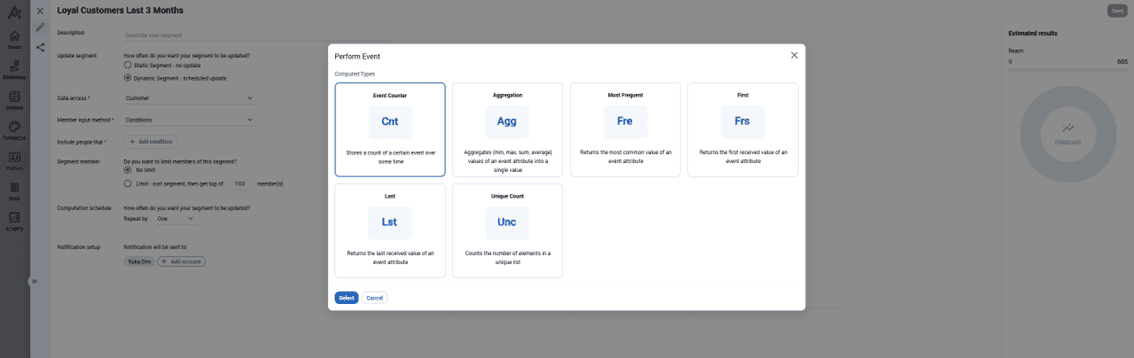
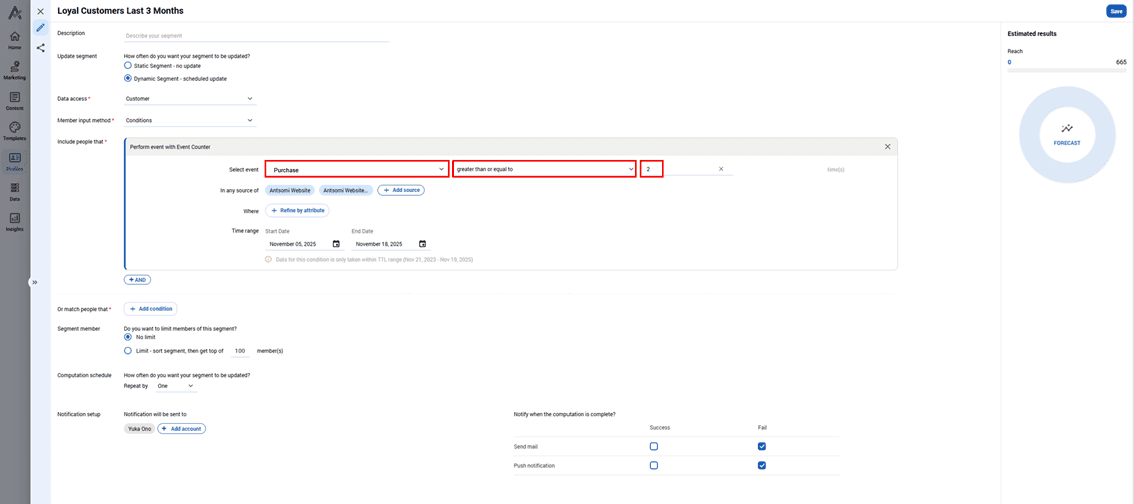
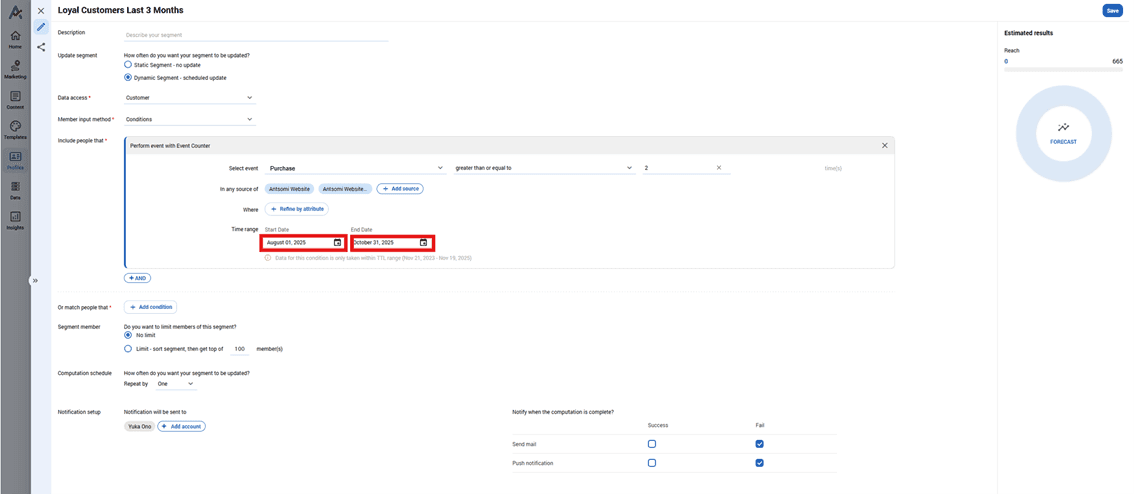
Example of configuration
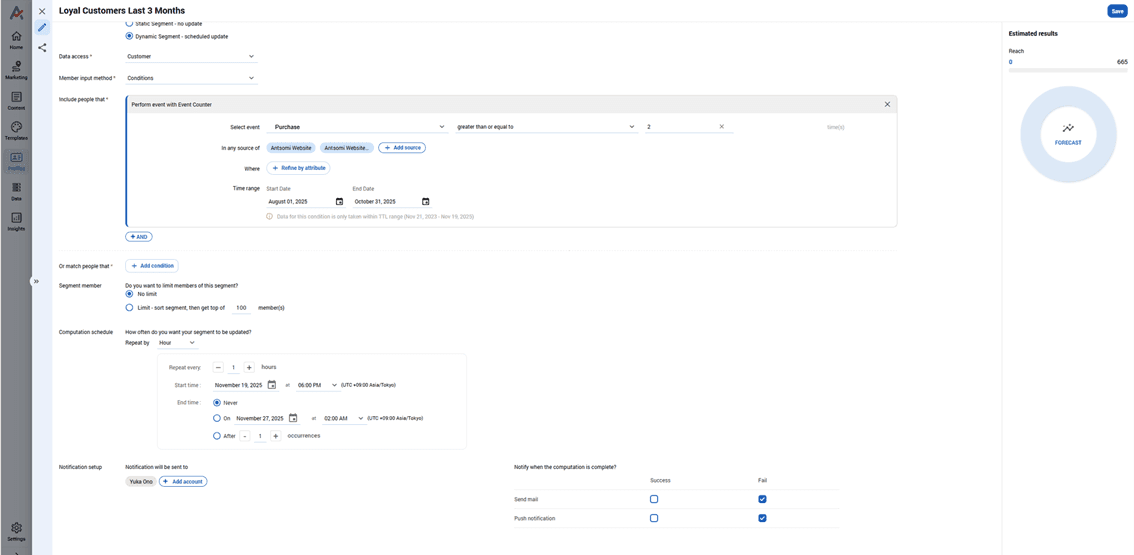
Step 5: Save Changes and Check Computation Status
Congratulations! Your first segment is complete!
You have successfully used Antsomi CDP 365 to create a "loyal customer list" of customers who purchased two or more times in the last three months!
This list will be a powerful tool for your marketing activities. By utilizing this segment, you can launch special campaigns or develop communications tailored to your customers' needs, thereby deepening customer relationships and accelerating business growth.
Continue to master the various features of Antsomi CDP 365 and start harnessing the power of data-driven marketing!
Have Questions or Want to Learn More?
Contact us for more information about H+ CDP and how it can help your business.
Email us at: antsomi-contact@hakuhodody-one.co.jp
Or, fill out the form below and we'll get back to you shortly.