
Beyond SEO Outsourcing: A Self-Diagnosis & Step-by-Step Roadmap to Your Site's Strongest Asset.
Published: Nov 17, 2025|19 min read|
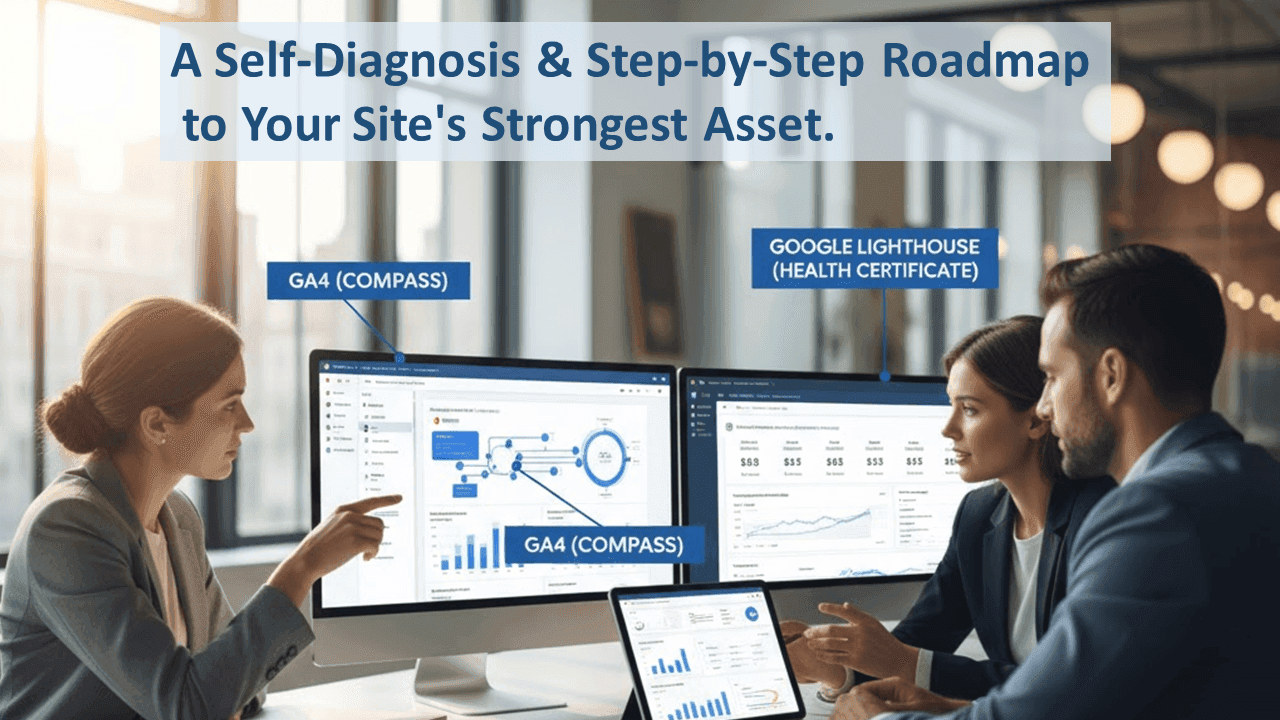
Table of Contents
- Chapter 1: Overcoming the "Trap" of Blind Outsourcing. Why Isn't Your SEO Investment Translating into Results?
- Chapter 2: The "Golden Rule" of SEO and the Importance of Self-Diagnosis, Visualized Through Analogies of a House, a Library, and Cooking
- Chapter 3: The "Correct Way" to Utilize Outsourcing and the Courage to Focus on the Real Bottlenecks
- Conclusion: Graduate from "External Dependency" and Become the "Commander" of Your SEO. A 2-Week Plan to Start Tomorrow
- 📘 Glossary
- Contact Us / Ask a Question
Chapter 1: Overcoming the "Trap" of Blind Outsourcing. Why Isn't Your SEO Investment Translating into Results?
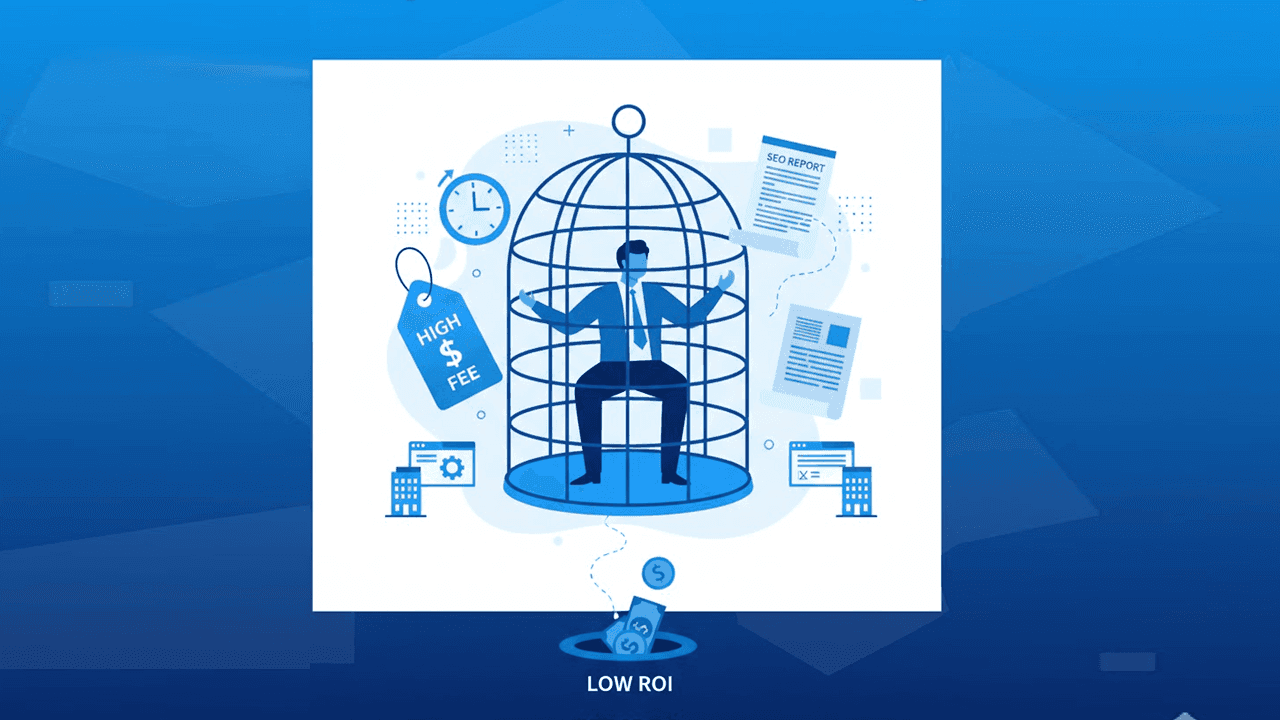
"I want to improve my search rankings"—many companies, driven by this earnest desire, pay hefty fees to SEO vendors, only to find themselves exhausted rather than achieving the expected results.
Let me share a client's story. The advertising agency responsible for web development had already implemented the minimum technical SEO. Correct HTTP status, sitemap and robots.txt setup, duplicate content resolution, logical site structure, and even Core Web Vitals were passing—in other words, the site's "roadwork" was complete, and organic traffic had been growing year over year.
However, the consulting reports they eventually received were filled with detailed correction instructions. "It's all micro-improvements, picking at nits. We can't see how many man-hours and costs this will take, or how much the rankings will move," was the reality. Meanwhile, the ad agency had long pointed out, "We are overwhelmingly lacking in content volume and update frequency compared to competitors," but the client side was stuck, stating, "We have neither the structure nor the resources."
What I want to pause and ask here is a fundamental question: "Are you blindly following expensive outsourcing reports without understanding the overall structure of SEO?" Following reports isn't bad in itself. But if you get the "order" wrong, the majority of your investment will disappear into "polishing the margins of error," and time will pass with low cost-effectiveness.
Chapter 2: The "Golden Rule" of SEO and the Importance of Self-Diagnosis, Visualized Through Analogies of a House, a Library, and Cooking
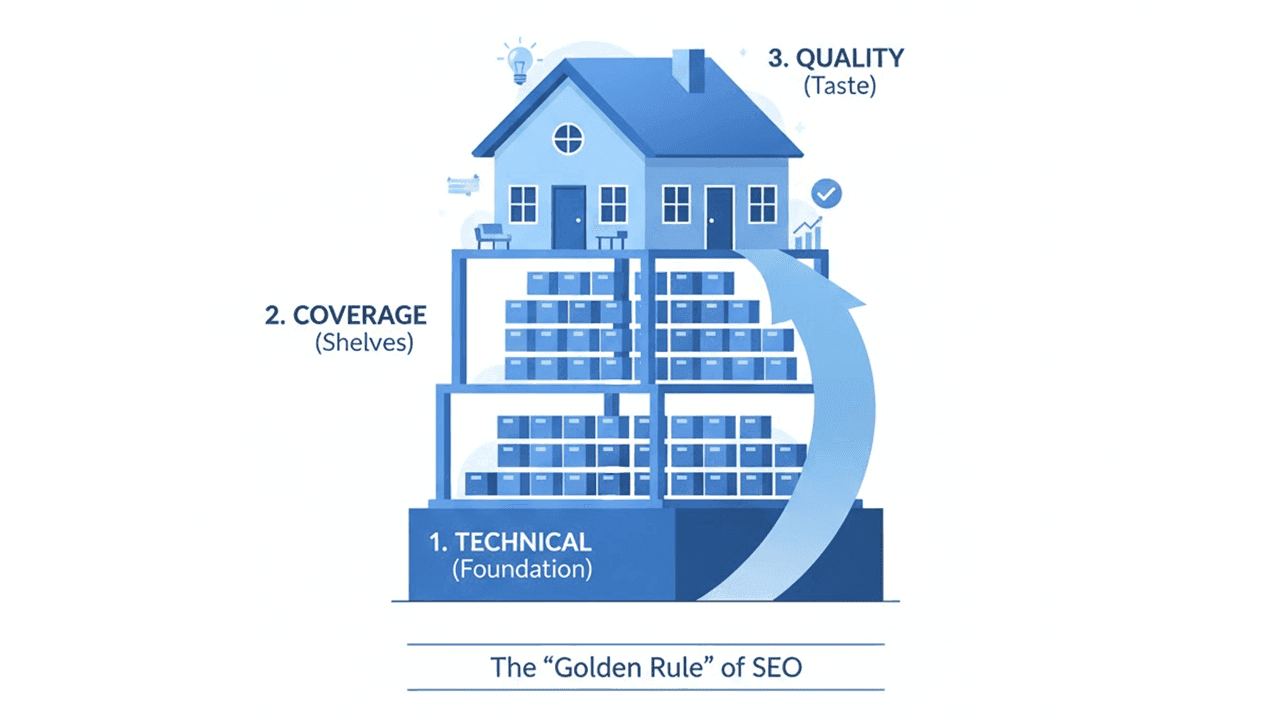
SEO is like building a house. First, you solidify a strong "foundation (technical)," then you add many "rooms (content shelves)," and finally, you polish the "livability (quality)." This sequence is the "Golden Rule" of SEO.
"Technical (Foundation) → Coverage (Shelves) → Quality (Taste)"
Following this golden rule, before consulting an external vendor, first accurately diagnose "what stage is our site at right now?" This is the key to avoiding wasted investment and finding the shortest path to results.
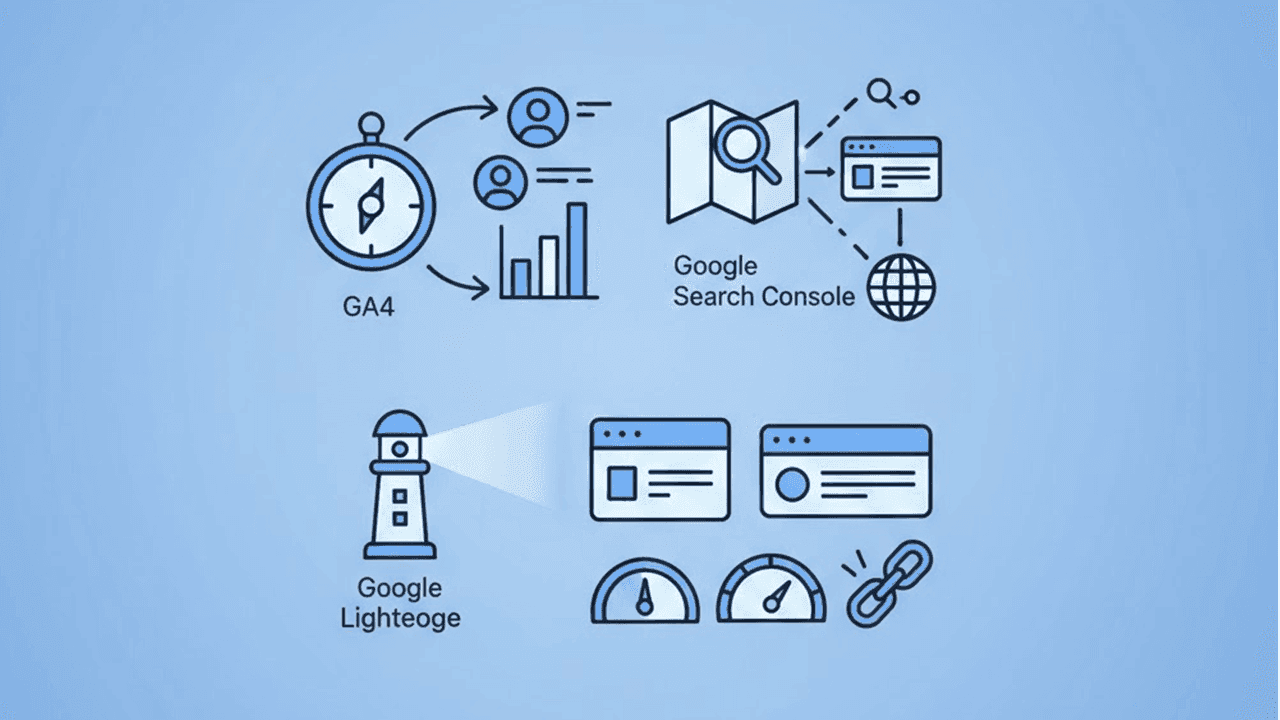
You might think, "I can't, I don't have the expertise." But don't worry. No difficult specialized knowledge is required. GA4, Google Search Console, and Google Lighthouse—with this "Trinity of Tools," you can accurately grasp 80% of your site's current situation.
To use an analogy—
🧭
GA4 is the "Business Compass": It visualizes which pages are bringing people in and where they are leaving, guiding you to the next improvement points by showing the user's journey within the site.🗺️
Google Search Console is the "Precise Map of the Search Market": It clarifies your "evaluation" and "exposure opportunities" from the search engine—which search terms, where your site is located in the search results.🩺
Google Lighthouse is the "Site's Health Certificate": It provides objective numbers to clarify where the technical bottlenecks are that impair the user experience, such as site speed and comfort.
Let's start by using this "Trinity of Tools" to self-diagnose "where our site is right now."
- ✅ Check the session trends for Organic Search: Check if the number of visitors via organic search is trending upward over the past 3-6 months. If it's stagnating, the next move is necessary.
- ✅ Detailed analysis with the Landing Page report: Check the bounce rate, engagement time, and conversion rate for the top 10 pages. Pages with low numbers are top candidates for improving the user experience ("taste").
- ✅ Understand "return visits" from the New/Repeater ratio: If there are few repeaters, there may be issues with content quality or engagement design.
- ✅ Analyze the "Search results" performance report: You can check detailed data like which search keywords your site was shown for (impressions), how many times it was clicked, and the average search result position. If a keyword has a low click-through rate (CTR), it's proof that the title or meta description is misaligned with the user's search intent. Improving it could rapidly increase traffic.
- ✅ Diagnose site coverage under "Indexing" → "Pages": Identify the reasons for "Not indexed." Find the causes preventing the search engine from correctly recognizing your site, such as duplicate content, thin content pages, or crawl blocks.
- ✅ Check individual page status with URL Inspection: Individually check if the pages you especially want to grow are correctly indexed and have no issues.
- ✅ Check the main Core Web Vitals metrics: Confirm if LCP/INP/CLS meet the passing line. If they do, investing in content quality or other bottlenecks will have a better cost-effectiveness than aiming for a perfect score.
- ✅ Refer to the "Origin Summary" in PageSpeed Insights: Don't just look at lab data; also check the field data, which shows "speed for actual visitors," to grasp the real user experience.
If you neglect this self-diagnosis and leave the judgment entirely to a vendor "because I don't understand," your business's valuable resources could end up being channeled into low-cost-effectiveness investments. First, have the courage to hold the map and compass yourselves.
Chapter 3: The "Correct Way" to Utilize Outsourcing and the Courage to Focus on the Real Bottlenecks
You don't need to execute every suggestion in an external report. What you truly need to do is focus on the "bottleneck" with the highest cost-effectiveness. Identifying that is the greatest value of self-diagnosis. Use the results of your self-diagnosis to identify your site's biggest current challenge, and have the courage to concentrate your resources there.
- ❗️ Indexing isn't increasing: Review site structure, technical issues, and duplicate content. Improve the site so search engines can easily recognize it. (URL canonicalization, noindex settings, site structure reorganization)
- ❗️ Impressions are low: Expanding "coverage" to meet search needs is urgent. (Exploring new topics, long-tail keyword strategy, designing pillar & cluster strategy)
- ❗️ Exposure exists, but CTR is low: A revamp of the title, meta description, and heading structure to answer search intent "in the shortest path" is necessary. (Improving phrasing to capture target user psychology)
- ❗️ Clicks exist, but rankings aren't improving: Strengthening content "depth" and "authoritativeness" is essential. (Pursuing expertise, strategic internal linking, acquiring high-quality backlinks, publishing original research data, etc.)
- ❗️ Traffic exists, but CV is low: Prioritize user experience (UX) optimization, redesigning pathways, and strengthening attractive offers and trust elements. (A/B testing is also effective)
Additionally, be cautious about investing significant man-hours into "maxing out" the Lighthouse score. The score is merely a "compass" indicating the direction to go; it is not the "destination" itself. For example, in the vast majority of cases, investing in improving content quality, optimizing internal links, and enhancing relevance to user search intent will lead more directly to ranking and conversion growth than the effort to raise a score from 90 to 95.
- When achieving scores or checklists becomes the goal, and the link to business objectives (sales, customer acquisition, brand awareness, etc.) is unclear.
- When the specific return on investment (expected impact and execution difficulty) for proposed measures is not specified, and it ends up being vague improvements.
- When essential "quality" aspects like content volume, update frequency, and E-E-A-T (Experience, Expertise, Authoritativeness, Trustworthiness) are postponed.
- First, share your self-diagnosis results and establish a common understanding with the vendor: "This is our biggest bottleneck right now."
- Clearly define the "definition of success" for each measure (e.g., +30% target queries, average rank for main KW from 15th→10th, +20% CVR).
- Run a high-speed "Hypothesis → Action → Measurement → Improvement" cycle in short 2-4 week sprints. Bravely move measures that have little effect or require too many resources to the "postponed list."
The client mentioned at the beginning was initially spending an enormous amount of time on minor technical improvements from external reports. Although organic traffic was increasing, it wasn't directly translating into improved rankings for main keywords or a better conversion rate, resulting in a low cost-effectiveness situation.
Then, they decided on a dramatic policy change. The following is the result of re-evaluating their "priorities" based on self-diagnosis.
- Month 1 (Self-Diagnosis and Strategy Redesign)
- Thoroughly evaluated bounce rates and CVR of top pages in GA4. Set pages with high exit rates as the top priority for "user experience (taste) improvement."
- Extracted pages with a low number of target queries and low CTR from Search Console. Revamped titles and meta descriptions to "answer search intent in the shortest path."
- Reconstructed the site's core pillar content "The Complete Guide to Angkor Wat" and added cluster content such as "What to Bring," "Costs & Budget," "Seasons & Best Times," "Safety & Precautions," "Choosing a Hotel," "Getting from the Airport," and "FAQ." Strongly linked these with internal links to hubify the entire site.
- Month 2 (Explosive Expansion of Coverage (Shelves))
- Introduced an editorial calendar. Set an operational rule with a minimum baseline of "1 pillar + 3 clusters per month."
- Halved the writing burden by using templates for FAQs, comparisons, checklists, and case studies. Thoroughly avoided cannibalization by consolidating duplicate themes.
- Result: The number of target queries approximately doubled. Inflow from the long-tail steadily increased, creating new customer touchpoints.
- Month 3 (Strengthening Quality and Authority)
- Added on-site photos, stories of failures on location, and the latest entry rules to the content. Clarified author profiles and supervisors to strengthen E-E-A-T.
- Added structured data to the FAQ section to improve visibility in search results.
- Result: The average ranking for main keywords jumped from 18th to 9th. The click-through rate (CTR) doubled from 2.0% to 4.5%, and the final tour booking conversion increased by approximately 35%.
- Side Story (Lesson from the Score Swamp)
- About 30 hours were invested to raise the Lighthouse score from 90 to 97, but the CVR was almost flat.
- After that, focusing on title improvements and internal link reorganization resulted in a noticeable improvement in CTR and CVR. This reaffirmed the importance of investment allocation.
This case demonstrates the unwavering fact that "following the right order" and "accurately grasping your own current situation" are, in the end, the shortest route to results, more so than "following an external report."
Conclusion: Graduate from "External Dependency" and Become the "Commander" of Your SEO. A 2-Week Plan to Start Tomorrow
It is extremely dangerous to leave judgment entirely to external parties without understanding the overall structure of SEO, believing that responding according to the report is "justice." First, use the "Trinity of Tools"—GA4, Google Search Console, and Google Lighthouse—to diagnose "where you are right now" yourselves. If you neglect this, your business's valuable resources could end up being channeled into low-cost-effectiveness investments.
The royal road to SEO is to follow the correct order of "Foundation (Technical) → Shelves (Coverage) → Taste (Quality)" and focus on the "bottleneck" with the highest cost-effectiveness. A score is merely a "compass" indicating the direction to go. The true goal is to solve the user's problem in the shortest path and connect it to business results. Outsourcing should be utilized as a "powerful booster" for that purpose.
- Days 1-3: Grasping the Current Situation and Visualizing Issues
- Identify major LPs for Organic traffic in GA4 and flag pages with high bounce rates/low CVR.
- Check rankings/CTR for main queries in Search Console. Shortlist pages with exposure but low CTR.
- Check Core Web Vitals for major LPs with Lighthouse and PageSpeed Insights. If at the passing line, decide to postpone "maxing out" the score.
- Days 4-7: Strategy and Plan Formulation
- Create a structure draft for 1 main pillar content (a table of contents that answers user's search intent in the shortest path).
- Decide on themes for 5 cluster contents to supplement the pillar. Prepare templates for FAQ, comparison, checklists.
- Improve titles/meta descriptions for pages shortlisted during self-diagnosis, focusing on CTR. Design an internal link pathway map.
- Days 8-10: Rapid Execution and Structuring
- Publish 1 designed pillar content and 2 cluster contents.
- Implement Breadcrumb/FAQ structured data simultaneously with article publication.
- Proactively prevent cannibalization with a policy of consolidating similar themes or duplicate content.
- Days 11-14: Effect Verification and Next Actions
- Analyze initial changes (impressions, CTR, traffic, etc.) with GA4 and Search Console.
- Reconstruct hypotheses based on the initial changes and start spinning the improvement cycle into the next two weeks.
- With external vendors, narrow down to the "bottleneck measures with the biggest impact" and build a united front towards achieving goals.
Finally. Solidify the foundation (technical), build abundant shelves (coverage), and pursue the best taste (quality). On top of that, if you proceed with a map (Search Console) and compass (GA4) in hand, using the lighthouse (Lighthouse) as a guidepost, SEO is nothing to fear.
If you tell us your site's genre and current situation, we can propose a pillar-cluster design and keyword plan with specific numbers. You can start preparing to turn your outsourcer into a "reliable partner" today.
Case Study: Super-Fast B2B Sites and AI-Era SEO Strategy Achieved with Headless CMS
Learn how Headless CMS enables lightning-fast B2B websites while optimizing for AI-powered search engines. Discover practical strategies for implementing modern SEO approaches in the era of generative AI.
📘 Glossary
A detailed, beginner-friendly explanation of the "Trinity of Tools"—free tools provided by Google that are essential for practicing SEO.
- "The Business Compass"
- In a nutshell?: It's a free access analysis tool from Google that allows you to analyze in detail the behavior of users who visit your website or app. As the successor to the conventional Google Analytics (Universal Analytics), it enables more flexible data measurement and analysis.
- What can it do?:
- Visualize user behavior paths: You can understand from multiple angles who (attributes), from where (inflow source), and with what device visited your site, which pages they viewed, how long they stayed, and what actions they ultimately took (purchase, inquiry, document download, etc.).
- Measure engagement (user involvement): Not just simple page views, but it measures "how deeply the user engaged with the content" as "events," such as scroll depth, video playback, file downloads, and specific link clicks, allowing you to gauge user enthusiasm on the site.
- Specific hints for site improvement: By analyzing in detail which pages users are dropping off from, or which inflow sources (search engine, SNS, ads, direct access, etc.) lead to the most conversions (goal achievement), you can find specific improvement points for site content and marketing strategies.
- Points for beginners::
- "Reports" → "Acquisition" → "Traffic acquisition": This is the first report to check. You can grasp the overall picture of how many users are flowing into your site and from which channels (Organic Search, Direct, Referral, etc.).
- "Reports" → "Engagement" → "Pages and screens": You can see which pages users frequently view, pages with long dwell times, and pages with high exit rates. This gives you clues to specifically identify "popular content" and "content that needs improvement."
- "Reports" → "Explore": Use this function when you want to dig deeper into specific user behaviors. For example, it helps optimize content linkage and user pathways through more free and detailed analysis, such as "What actions did people who read a specific article take afterward on the site?"
- Why a "Compass"?: Because, like a compass pointing a ship's course on a voyage, it clearly indicates the direction of your business and points for improvement by showing where your site visitors are coming from, how they are moving within the site, and where they are heading.
- "The Precise Map of the Search Market"
- In a nutshell?: It's a free tool provided by Google for website operators, essential for monitoring, managing, and improving how your site appears in Google search and what performance it's achieving.
- What can it do?:
- Visualize search performance: You can check detailed data such as which search keywords your site was shown for in Google search results (impressions), how many times it was clicked, and what the average search result position was. This tells you which keywords you are able to approach users with.
- Understand and improve indexing status: You can identify which of your site's pages Google "recognizes (indexes)," and if there are unindexed pages, the specific reasons (errors, duplicate content, crawl blocks, etc.). This allows you to check if pages that should be displayed in search results are correctly recognized by Google and resolve issues.
- Submit sitemaps: You can submit a sitemap to efficiently communicate your site's structure and updates to Google, promoting crawling by Googlebot (Google's program that crawls sites to gather info) and making it easier for the latest information to be reflected in search results.
- Check for manual penalties: You can check for "manual penalties" imposed by Google if there's a violation of Google's Webmaster Guidelines, and if any, understand the details and countermeasures.
- Points for beginners::
- "Search performance" → "Search results": Check what keywords your site is being displayed and clicked for. If there are keywords with a low CTR (click-through rate), it's an important hint to consider improving the title or meta description for that keyword.
- "Indexing" → "Pages": By checking which pages Google is indexing and the details of any indexing errors, you can fix them and increase the chances of more pages being displayed in search results.
- "URL Inspection": By simply entering a specific page's URL, you can check in real-time how that page is recognized by Google (whether it's indexed, has errors, is mobile-friendly, etc.). This is useful when you publish a new page or update an existing one and want it to be recognized by Google quickly.
- Why a "Map"?: Because in the vast world of search engines, it shows you "where your site is located and by what keyword paths it's being discovered by users." It's like a tool that tells you your site's current location, the route to your destination, and traffic conditions on the vast map of the search market.
- "The Site's Health Certificate"
- In a nutshell?: It's an open-source, automated tool developed by Google that objectively audits the quality of web pages (performance, accessibility, SEO, best practices, etc.) and generates a report with specific improvement points.
- What can it do?:
- Support site speed-up: It analyzes "performance" that directly impacts user experience, such as page load speed, display stability, and interactivity. It identifies the causes of delays and suggests specific improvement measures like code optimization, image compression, and server response speed improvements.
- Optimize user experience (UX): It evaluates metrics Google emphasizes, such as Core Web Vitals (LCP: Largest Contentful Paint, INP: Interaction to Next Paint, CLS: Cumulative Layout Shift), providing objective material to judge whether users can comfortably use the site. These metrics are directly linked to the site's usability.
- Improve accessibility: It diagnoses various items related to accessibility, such as color contrast, text size, and the presence of alt text (alt attributes) set for images, to ensure users with visual impairments or physical limitations can use the site without stress, and proposes improvements.
- Basic SEO evaluation: From a technical SEO perspective, it briefly checks if the site is easy for search engines to crawl and index (e.g., appropriateness of meta tags, use of structured data) and confirms if basic SEO measures have been implemented.
- Points for beginners::
- Easily run from Google Chrome's Developer Tools: Open a web page in the Google Chrome browser, press the F12 key (or right-click on the page and select "Inspect") to open Developer Tools. Click the "Lighthouse" tab and press the "Generate report" button to easily generate a diagnostic report.
- Check the "Performance" score first: The first thing to check in the report is the "Performance" score. If this score is low, the page loading is likely slow, leading to user drop-off, so consider improving it as a priority.
- Check each Core Web Vitals metric: Check if the three metrics—LCP, INP, and CLS—are within the "Good" range. These are extremely important metrics directly linked to the "site comfort" that users actually experience and also affect Google's search rankings.
- Why a "Health Certificate"?: Because it diagnoses whether your site is in a "healthy state" for users and search engines, providing objective numbers and specific improvement measures. Maintain your site's health with regular checks and aim for long-term performance improvement.
Have Questions or Want to Learn More?
Contact us for more information about H+ CDP and how it can help your business.
Email us at: antsomi-contact@hakuhodody-one.co.jp
Or, fill out the form below and we'll get back to you shortly.