
Practical SEO and the Innovation of Headless CMS
Published: Nov 10, 2025|6 min read|
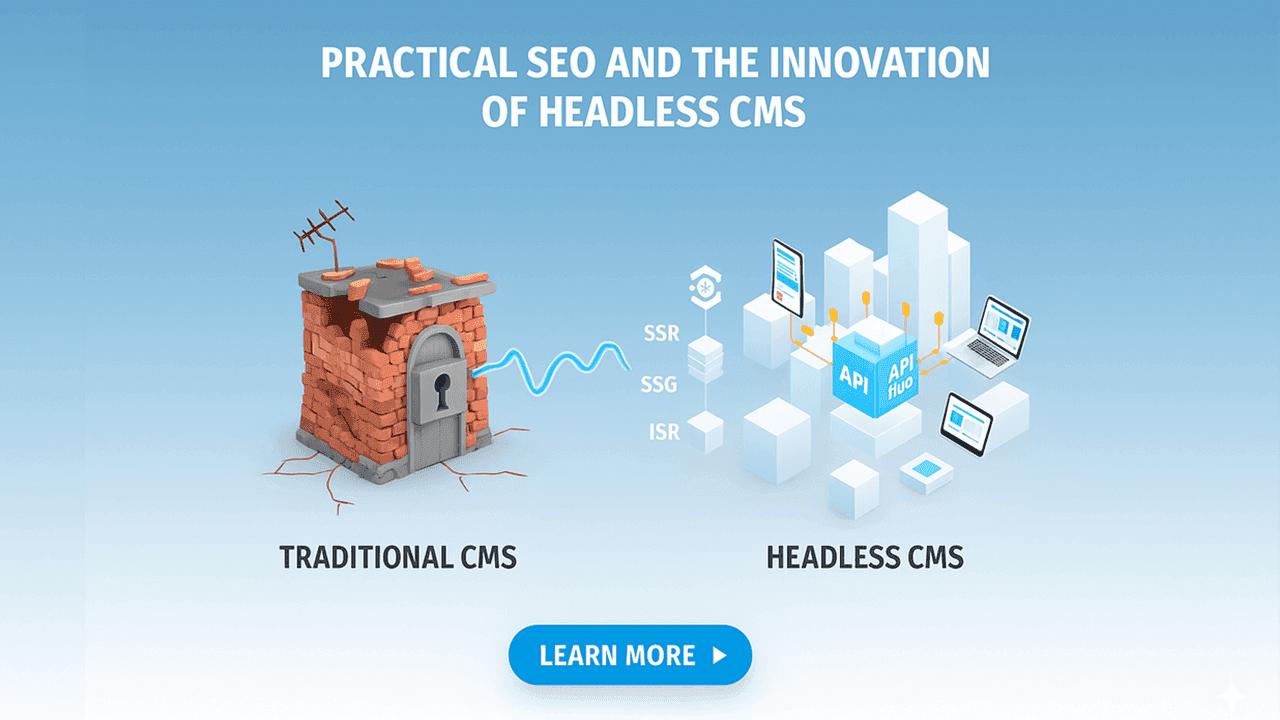
Table of Contents
- Introduction: The limits of an aging foundation that erodes digital assets
- Problem Section: The limits of old foundations and the evolution of CMS—SEO issues in monolithic systems
- Chapter 1: How legacy web architectures become bottlenecks (Monolithic CMS)
- Chapter 2: The evolution of CMS
- Chapter 3: SEO challenges in mainstream monolithic CMS
- 📖 Glossary
- Contact Us / Ask a Question
Introduction: The limits of an aging foundation that erodes digital assets
Today, the same content must be shown across multiple touchpoints: smartphones, apps, in-store displays, and more. Legacy CMSs were built for a single website, so delivering to multiple destinations ("dining areas") has become difficult. As a result, the limits in performance, development efficiency, and SEO are now clearly visible.
📖 Glossary note: API (the interface between systems—the delivery person), CDN (a mechanism that delivers content from nearby locations via distributed points worldwide—the local forward warehouses)
• As display destinations have multiplied, single-site assumptions have become a burden
• Traditional CMSs tend to be disadvantaged in speed, flexibility, and SEO
• Decoupling and API delivery address the root of these challenges
Problem Section: The limits of old foundations and the evolution of CMS—SEO issues in monolithic systems
✓ The structure and bottlenecks of monolithic CMS
✓ What specifically goes wrong in real-world work
✓ Why SEO improvements stall
✓ The historical evolution of CMS and current challenges
Chapter 1: How legacy web architectures become bottlenecks (Monolithic CMS)
The traditional CMSs many companies have used for years adopt a monolithic architecture. "Monolithic" means "single block," where content management (backend—the kitchen) and presentation (frontend—the dining area) are tightly coupled.
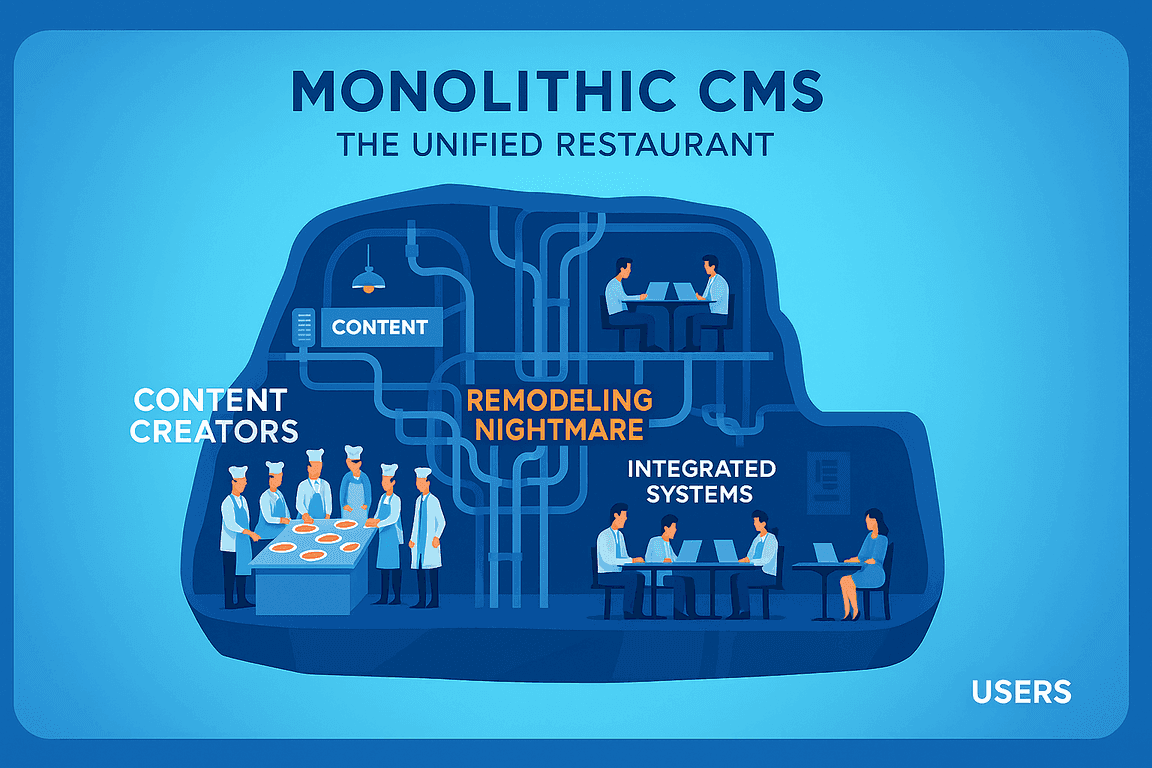
🍽️ Analogy: Imagine the kitchen (content creation/management) and the dining area (display destinations) in one room, with plumbing and interiors fused together. Even a small change in the interior forces you to touch kitchen plumbing, turning minor renovations into major work.
Even small design or functionality changes often require touching the entire system, inflating update costs and timelines. Accumulated stopgap fixes (technical debt) can lock you into a specific technology (e.g., PHP), making it hard to adopt modern tech like Next.js. (Note: Existing CMSs can be "headless-ized" to work with Next.js.)
💡 Examples:
• You want granular page-level control over hreflang for a multilingual site, but the theme structure prevents flexible setup.
• After adding structured data via a plugin, it conflicts with another plugin, causing duplicate JSON-LD output and search errors.
As traffic and content grow, even if you want to scale only certain functions, the whole system must scale. This is cost-inefficient and raises downtime risks under heavy load.
🍽️ Analogy: You want to add more tables in the dining area, but you must renovate the entire restaurant, kitchen included.
Technical SEO improvements (e.g., page speed, structured data) can get stuck as IT team bottlenecks, delaying implementation for weeks. Misalignment between SEO and IT and the difficulty of refactoring legacy systems are common causes.
Chapter 2: The evolution of CMS
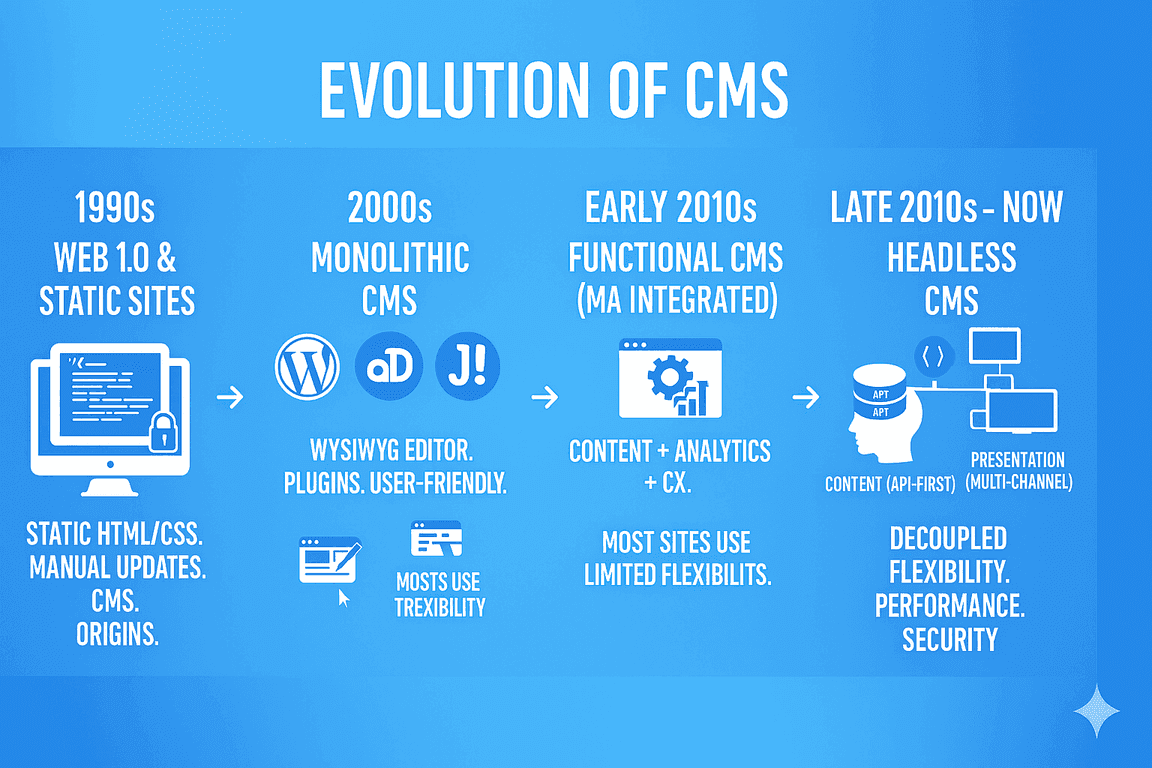
The web consisted of static HTML/CSS, and updates required specialist skills. Early CMS concepts emerged to simplify updates.
Driven by demand from non-technical editors, WordPress, Drupal, Joomla!, etc. gained popularity. User-friendly WYSIWYG editing and plugin extensibility powered many sites. A large share of sites still use traditional CMSs (e.g., WordPress), though figures vary by source.
CMSs began to emphasize data analysis and customer experience—not just content management. However, compared to dedicated tools, limitations in functionality and flexibility appeared.
Demand to deliver content across diverse channels grew. The limits of all-in-one architectures in flexibility, performance, and security became evident. Headless CMS—which decouples content from presentation and delivers content via APIs—has gained attention.
Chapter 3: SEO challenges in mainstream monolithic CMS
Sites on monolithic CMSs primarily rely on server-side rendering (SSR), generating pages on the server for each request. Many teams use caching and CDNs to mitigate, but as content and plugins grow, processing becomes heavier and load times tend to slow. This can negatively affect Core Web Vitals (quality metrics indicating speed and stability that often contribute to search outcomes through UX). Overusing plugins (plugin bloat) often degrades speed and increases security risk.
🍽️ Analogy: Stuffing the kitchen with too many "handy gadgets" clutters workflows, slowing the serving of dishes (pages).
Because content is tightly coupled to templates, fine-grained optimization is difficult, and it's harder to adopt the latest performance tech (e.g., Next.js).
Metadata, sitemaps, and structured data are often managed via third-party plugins. Conflicts and template constraints can prevent precise SEO implementations.
• When the "kitchen" and "dining area" are fused, partial optimization often requires whole-system renovation
• Specific SEO requirements (hreflang, structured data) are common stumbling blocks
• Even SSR-centered sites can be bolstered with caching and CDNs, but plugin growth and complexity tend to slow them down
Case Study: Super-Fast B2B Sites and AI-Era SEO Strategy Achieved with Headless CMS
Learn how Headless CMS enables lightning-fast B2B websites while optimizing for AI-powered search engines. Discover practical strategies for implementing modern SEO approaches in the era of generative AI.
📖 Glossary
Have Questions or Want to Learn More?
Contact us for more information about H+ CDP and how it can help your business.
Email us at: antsomi-contact@hakuhodody-one.co.jp
Or, fill out the form below and we'll get back to you shortly.