
How Headless CMS works and how it enables SEO
Published: Nov 10, 2025|9 min read|
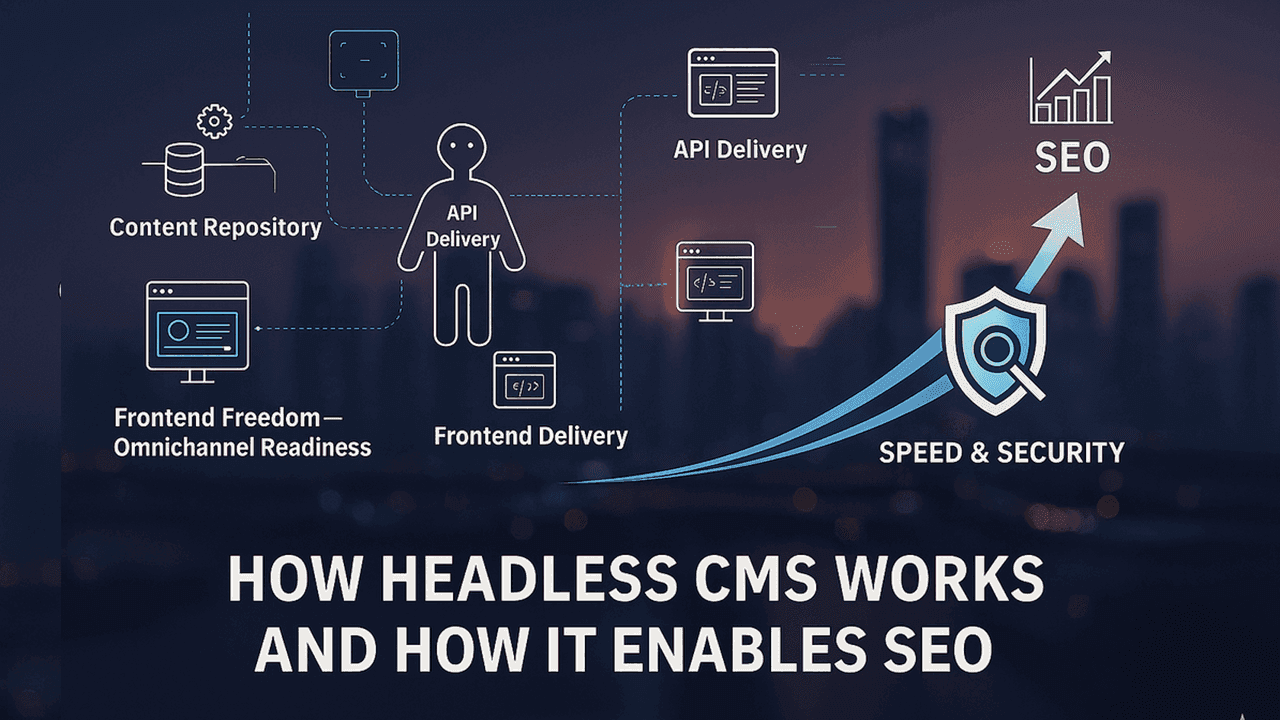
Legacy monolithic CMSs create bottlenecks in performance, development efficiency, and SEO. Learn how Headless CMS decoupling and API-first architecture solve these challenges while enabling omnichannel content delivery and improved search rankings.
✓ Definition and concept of Headless CMS (separating kitchen and dining area)
✓ What decoupling and API delivery solve, and how
✓ How to design for speed and SEO at the architecture level
✓ Practical hurdles during adoption and how to address them
✓ Case examples and an optimization checklist
Chapter 1: What is a Headless CMS? 🏗️
A Headless CMS separates the "head" (presentation—the dining area) and specializes in content creation and storage (the kitchen—central kitchen/logistics hub). Content is delivered via APIs (the delivery person) to any destination: websites, mobile apps, digital signage, IoT devices, and more. In other words, content is freed from a particular presentation and managed long-term as a reusable data asset.
📖 Glossary note: JSON (a standard container format for data), content repository (storage—the central warehouse)
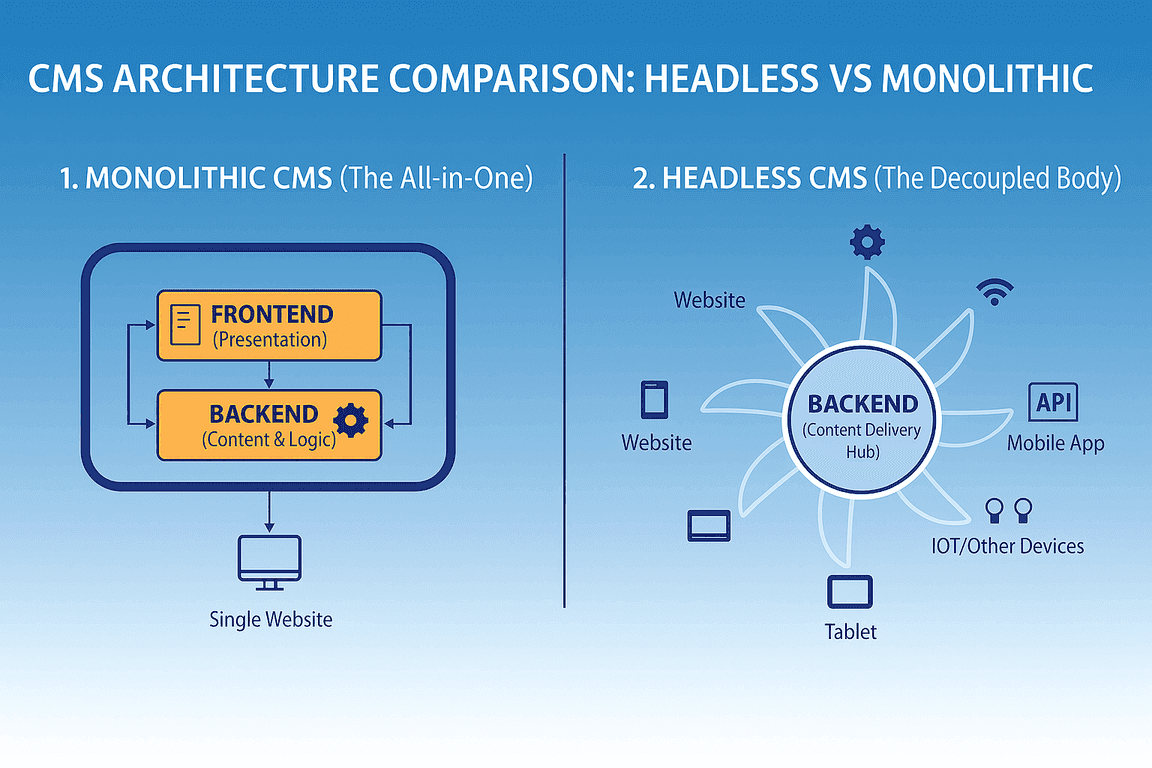
Benefit: You can freely choose Next.js, React, Vue.js, etc.
Problem solved: Constraints from specific languages or template structures
How: Decouple kitchen and dining area, integrate via APIs
Benefit: Create once, publish everywhere via APIs; reuse content across channels
Problem solved: Duplicate content management and manual updates per channel
How: Store as structured data and deliver independent of presentation format
Benefit: Easier to choose rendering strategies like SSG/SSR/ISR, improving Core Web Vitals
Problem solved: Delays from plugin bloat or server load
How: Keep the frontend lean, use CDN delivery for speed; optimize images and video
Benefit: Isolate the backend from the frontend to reduce the attack surface
Problem solved: Vulnerability chains due to tight coupling and plugin risks
How: Restrict access via APIs and minimize direct access
Benefit: Content and development teams can work in parallel, accelerating releases (shorter time-to-market)
Problem solved: Bottlenecks where developers must intervene for every update
How: Define a clear handoff via APIs and divide responsibilities
Chapter 2: How Headless CMS impacts SEO 🔍
Core Web Vitals (LCP, CLS, INP) are quality metrics Google emphasizes. With Headless CMS, you can freely adopt fast frameworks like Next.js and strategies like SSG/ISR, making it easier to reach performance levels that were hard with traditional CMSs. Improvements in speed and stability tend to boost search outcomes through better UX.
📖 Glossary note: LCP (how quickly large elements start to render), CLS (layout stability), INP (responsiveness to interaction)
Automating structured data: If you bind content models to Schema.org properties in implementation, accurate JSON-LD can be auto-generated on update (advantageous for winning rich results and supplying information to AI-driven search).
URL and metadata control: Design concise, readable URLs, canonical tags, hreflang, and other advanced technical SEO with full freedom.
Provide SEO-specific fields in the CMS UI (meta title, description, alt text, etc.), so editors can improve quality (E-E-A-T is a quality evaluation framework) and manage metadata without touching code.
Chapter 3: Challenges when adopting Headless CMS ⚠️
You need to build the frontend and have resources skilled in APIs and tools like Next.js. Mitigations include starter templates, UI kits, and design guides (standardizing content models) to lower the barrier.
Because presentation is decoupled, real-time previews require frontend support. Combine preview APIs from leading Headless CMS vendors with Next.js Draft Mode and on-demand regeneration (webhooks) to give editors reliable previews.
You must design content models, define API endpoints, and integrate the frontend—requiring time and skill. External MarTech/SEO integrations may be custom via API rather than plug-and-play. Mitigate with phased rollout (start with high-value pages), predesign cache strategies, and validate in a small test project.
📖 Glossary note: SSG can be hosted broadly and delivered via CDN. ISR and on-demand regeneration require compatible platforms (beyond Vercel, options include Netlify, Cloudflare, AWS).
Non-technical users may find APIs and structured content unfamiliar. With usage-based pricing, it's important to define cache strategies and operational rules (update frequency, image optimization, third-party script management) and make budgets transparent.
Chapter 4: Case study of Headless CMS 📊
Sites combining Next.js with a Headless CMS can achieve high Lighthouse scores. In some cases, Total Blocking Time is 0 ms and Cumulative Layout Shift is 0. However, these values depend on measurement environment and setup (image optimization, font preloading, presence of ads or third-party scripts, CDN usage, and device/network conditions).
🖼️ Lazy-load images and use modern formats (WebP/AVIF)
🔤 Optimize fonts (display strategy, subsetting)
📜 Reduce third-party scripts and load them lazily
⚙️ Extract critical CSS, use code splitting and prefetching
These optimizations make it easier to maintain strong Core Web Vitals and translate into SEO gains via improved UX.
- • Decoupling and API delivery elevate flexibility, speed, and security
- • Editor-led SEO operations and architecture-driven design make it easier to improve search outcomes via better UX
- • Hybrid operations that choose the optimal rendering per page are key; templates and standardization reduce adoption barriers
Case Study: Super-Fast B2B Sites and AI-Era SEO Strategy Achieved with Headless CMS
Learn how Headless CMS enables lightning-fast B2B websites while optimizing for AI-powered search engines. Discover practical strategies for implementing modern SEO approaches in the era of generative AI.
Reference information 📚
Definition: "Cook each dish to order in the kitchen and serve it to the dining area." Always fresh, but can slow down under heavy load. Search engines can read the finished HTML immediately, which is often advantageous.
Typical use: Member pages, dashboards, and highly dynamic views.
Definition: "Prepare finished pages ahead of time and make them instantly deliverable to dining areas nationwide." Extremely fast and low server load, but updates require rebuilding.
Typical use: Corporate sites with lower update frequency, blog posts, landing pages.
Definition: "Keep the speed of SSG while periodically rebuilding only the necessary pages." Combines the speed of SSG with the freshness of SSR. Pages are regenerated on a set interval or update trigger, which can introduce a slight lag before changes appear.
Typical use: News, product catalogs, frequently updated blogs.
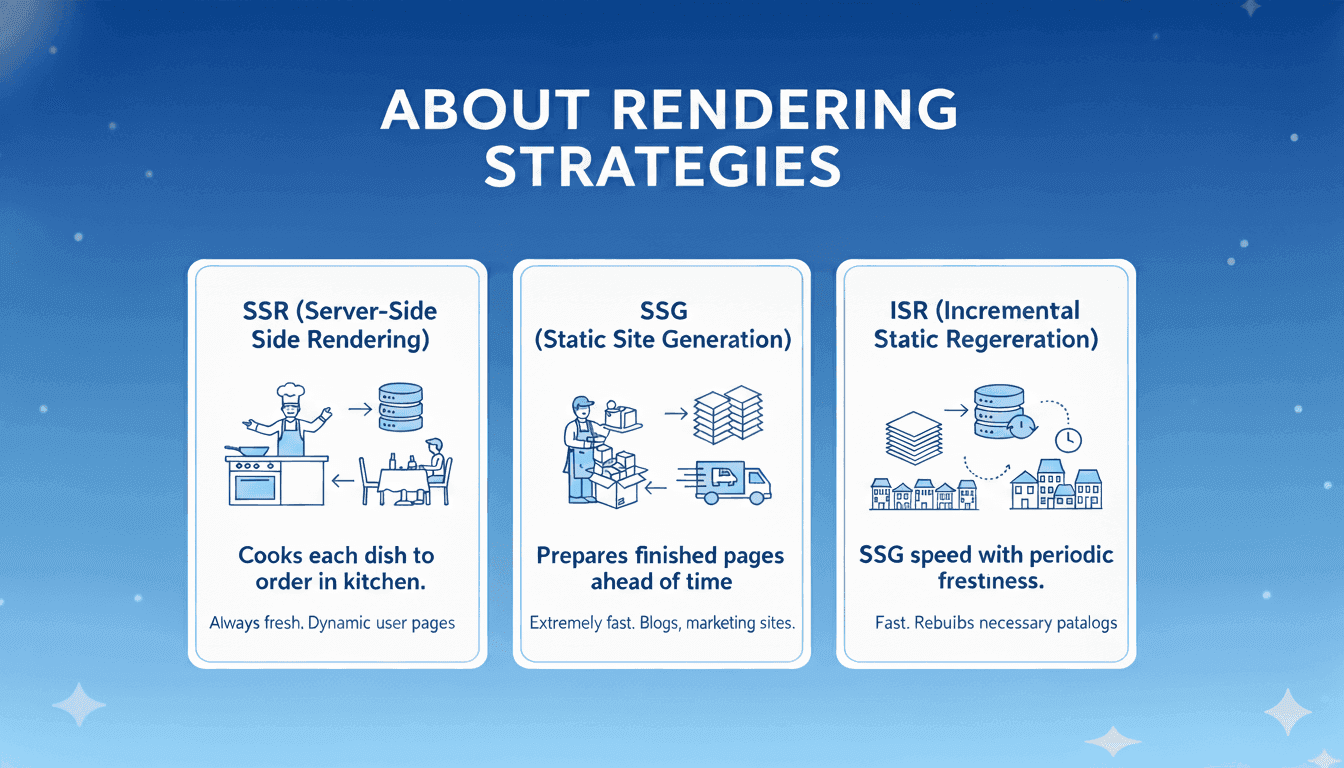
SSR: Always fresh, but can slow during traffic spikes
SSG: Extremely fast, but updates require a build
ISR: Maintains speed while preserving freshness
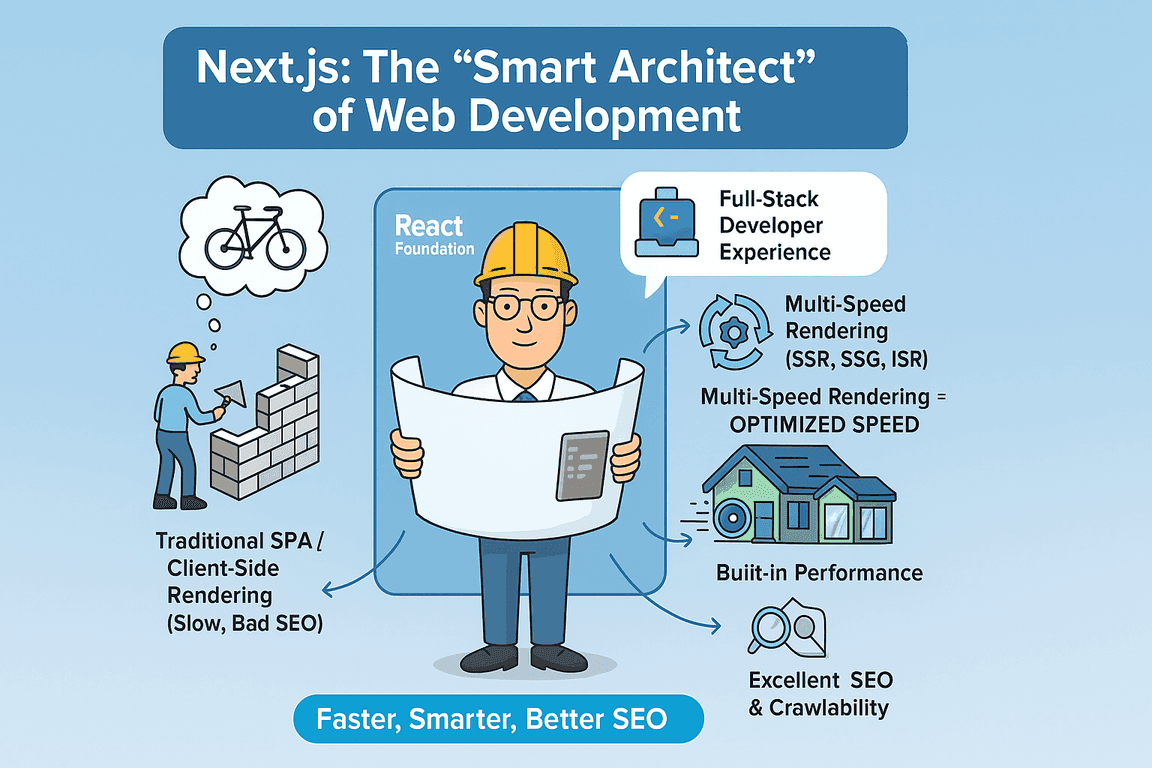
Definition: A full-stack framework built on React, providing SSR/SSG/ISR rendering options and a strong developer experience. Adopted by Netflix, Uber, TikTok, and more.
- Supports multiple rendering strategies to optimize per page type
- Built-in speed optimizations like code splitting and prefetching
- Useful SEO mechanisms like a Metadata API and head management (sitemaps, robots.txt, and structured data aren't automatic, but are easy to implement via packages or configuration)
- Easy to leverage SSG/ISR and improve Core Web Vitals
- Server-side rendering supports crawlability
- JavaScript-based development that is flexible and fast
- Learning curve and complexity in choosing/managing optimal rendering
- Sitemaps and robots.txt aren't generated by default (use next-sitemap or custom implementation)
- ISR and on-demand regeneration require compatible platforms (besides Vercel, options include Netlify, Cloudflare, AWS)
📖 Glossary
| Term | Definition |
|---|---|
| Headless CMS | A CMS that decouples presentation (dining area) from management/storage (central kitchen/logistics). |
| API | The contract for systems to interact; in the analogy, the delivery person's route and procedure. |
| API-first | A development philosophy that starts with APIs—robust against future additions of delivery destinations. |
| JSON | Lightweight data format—the concrete syntax for standard labels. |
| Content repository | Where content is stored—the central warehouse. |
| Create once, Publish everywhere | Create once, then reuse/deliver across all channels. |
| CDN | Fast delivery of static assets from distributed locations—the forward warehouses. |
| Attack surface | The total number of possible entry points for attacks; decoupling reduces entrances. |
| Time-to-market | Time to release to the market; parallel work shortens it. |
| Schema.org | A collection of structured data specifications that search engines understand (the recipe book). |
| JSON-LD | A format for structured data—standard labels you place on a page. |
| Rich Results | Enhanced displays in search results (star ratings, FAQ, etc.). |
| AI Overview | AI summarization/answers in search; structured information can be advantageous. |
| Canonical tag | A tag indicating the "official" version among duplicates—the signpost. |
| hreflang | A tag indicating language/region variants—the language tag. |
| Alt text | A text description of image meaning/content—useful for accessibility and SEO. |
| E-E-A-T | Experience, Expertise, Authoritativeness, Trustworthiness—quality assessment framework. |
| Lighthouse | Google's web quality measurement tool—tests speed, accessibility, etc. |
| TBT | Total time user input is blocked; lower is more responsive. |
| SSR | Cook-to-order serving—strong for freshness. |
| SSG | Pre-cooked and delivered to each location—very fast but updates require re-delivery (rebuild). |
| ISR | Pre-delivery with periodic/on-demand swaps for specific menu items—balances speed and freshness. |
| revalidate | ISR setting for the interval before regeneration—the swap timing. |
| Webhook | Mechanism to notify systems based on external events—the doorbell for swaps. |
| Code splitting | Optimization that loads only the code needed, in small chunks. |
| Prefetching | Optimization that loads data/code in advance. |
| Metadata | Auxiliary page information (title, description, etc.). |
| Metadata API | Features to set metadata declaratively. |
| Crawlability | How easily search engines can traverse and understand pages. |
| robots.txt | File that conveys crawl rules to search engines. |
| Sitemap | File that conveys site structure to search engines. |
| MarTech | Toolsets that support marketing operations. |
| Vercel | The company behind Next.js and a leading hosting option—well-suited for ISR. |
| Netlify / Cloudflare / AWS | Major alternatives for hosting/edge delivery beyond Vercel. |
| Draft Mode | Mechanism to preview content in draft state. |
| On-demand ISR | Regenerates specific static pages on update events. |
| Lazy loading | Defers image loading until needed. |
| WebP / AVIF | Lightweight image formats that improve load speed. |
| Critical CSS | The minimal CSS needed for initial render—load first to speed up display. |
| Font subsetting | Optimizing fonts by including only required characters. |
| Third-party scripts | External scripts whose overuse can harm speed and stability. |
Kitchen (backend—content management/storage), dining area (frontend—presentation), delivery person (API), forward warehouse (CDN), recipe/labels (structured data/JSON-LD/Schema.org), menu updates (switching rendering strategies), signposts (canonical/hreflang) are the analogy mappings used throughout.
Have Questions or Want to Learn More?
Contact us for more information about H+ CDP and how it can help your business.
Email us at: antsomi-contact@hakuhodody-one.co.jp
Or, fill out the form below and we'll get back to you shortly.